
The Easiest Free Word Search Maker for Teachers and Parents
Whether you use our library of 50+ curated themes or input your own vocabulary list, you get a crisp, high-resolution output every time!
| Feature | Specifications | Benefit |
| Grid dimensions | 6×6 to 35×35 | Scale difficulty from kindergarten to adult. |
| Word count | Up to 20 custom words | Perfect for weekly spelling or vocabulary lists. |
| Placement logic | Horizontal, vertical, diagonal, & reverse | Customize the “search path” difficulty. |
| Output formats | High-quality PDF and PNG | Ready for instant printing or digital sharing. |
| Answer keys | Automatic generation | Saves time for teachers and parents. |
| Access | 100% Free / No registration | Instant use without data or privacy hurdles. |
How to Make Your Own Word Search in 3 Steps
Our online word search puzzle maker is designed for speed. Follow these simple steps to get your custom activity ready for the printer:
1. Choose Your Vocabulary
Pick from our library of preset themes or enter your own custom word list. To ensure a great solving experience, we recommend using at least 5 words, each with a minimum of 3 letters.
2. Control Your Layout and Difficulty
Tailor the puzzle to your specific audience, whether it’s an easy word search for kids or a challenging brain teaser for adults:
- Word Count: Include up to 20 words per puzzle.
- Grid Size: Adjust between 6×6 and 35×35 rows and columns.
- Directions: Choose horizontal, vertical, or diagonal placements.
- Difficulty: Use the reversed option to mix forward and backward words for an extra challenge.
3. Personalize and Print
Add a custom title or a student’s name to the top of the page. Use the instant preview to see exactly how your puzzle looks, then download it as a professional-quality PDF or PNG.
A Versatile Tool for Learning and Fun
This word search generator for teachers is the perfect way to reinforce spelling and vocabulary in the classroom. It’s also an excellent resource for:
- Homeschooling: Create custom “sight word” puzzles for daily practice.
- Holiday Parties: Make themed games for Christmas, Halloween, or birthdays.
- Senior Care: Large-grid puzzles are fantastic for maintaining focus and cognitive health.
- ESL Learners: A fun, low-pressure way to practice new English vocabulary.
Free sample word search puzzles
Want to see what your puzzle can look like? Check out these two free samples! We’ve included an easy version for kids and a more challenging one for older kids or adults – both come with solution pages.
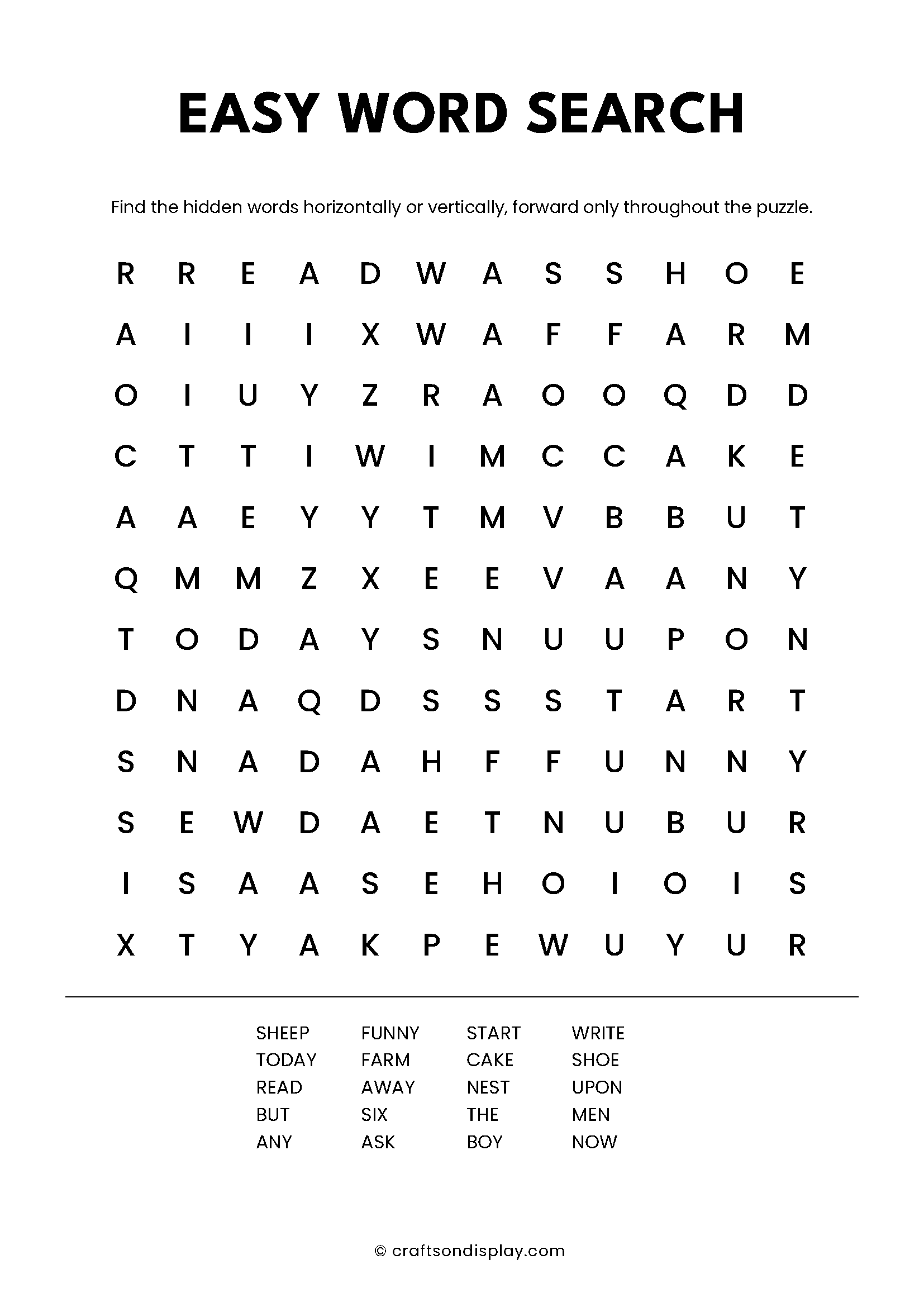
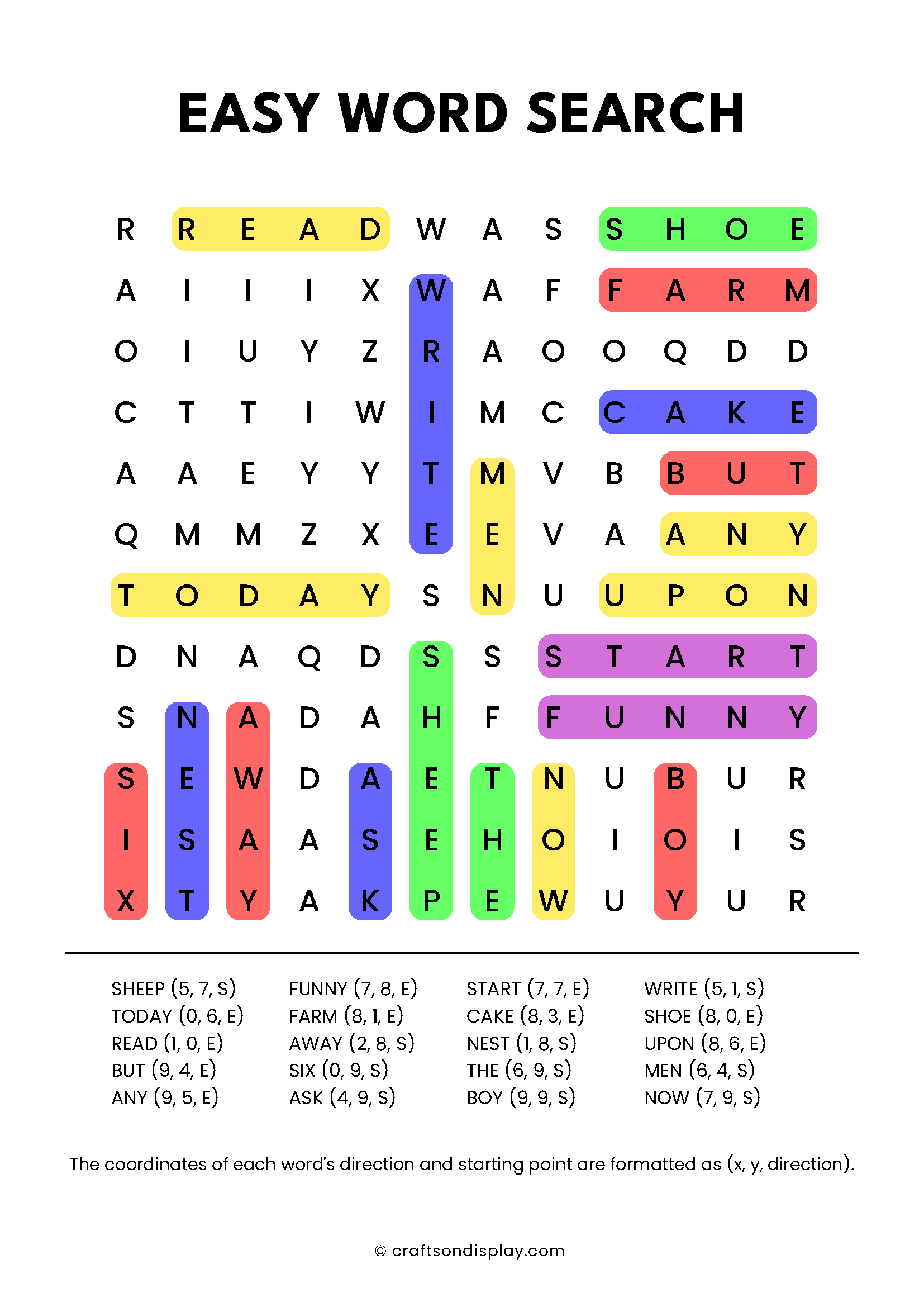
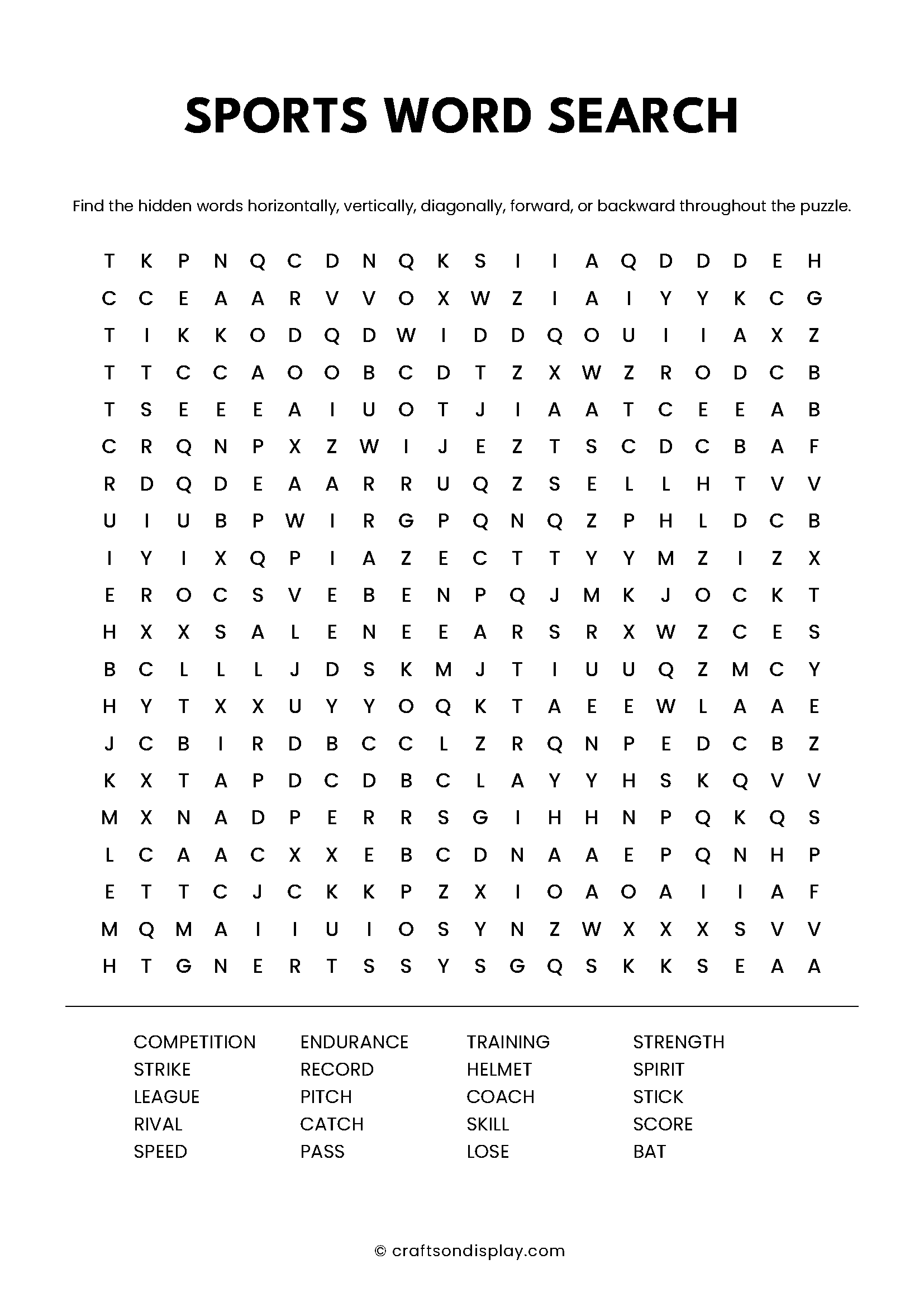
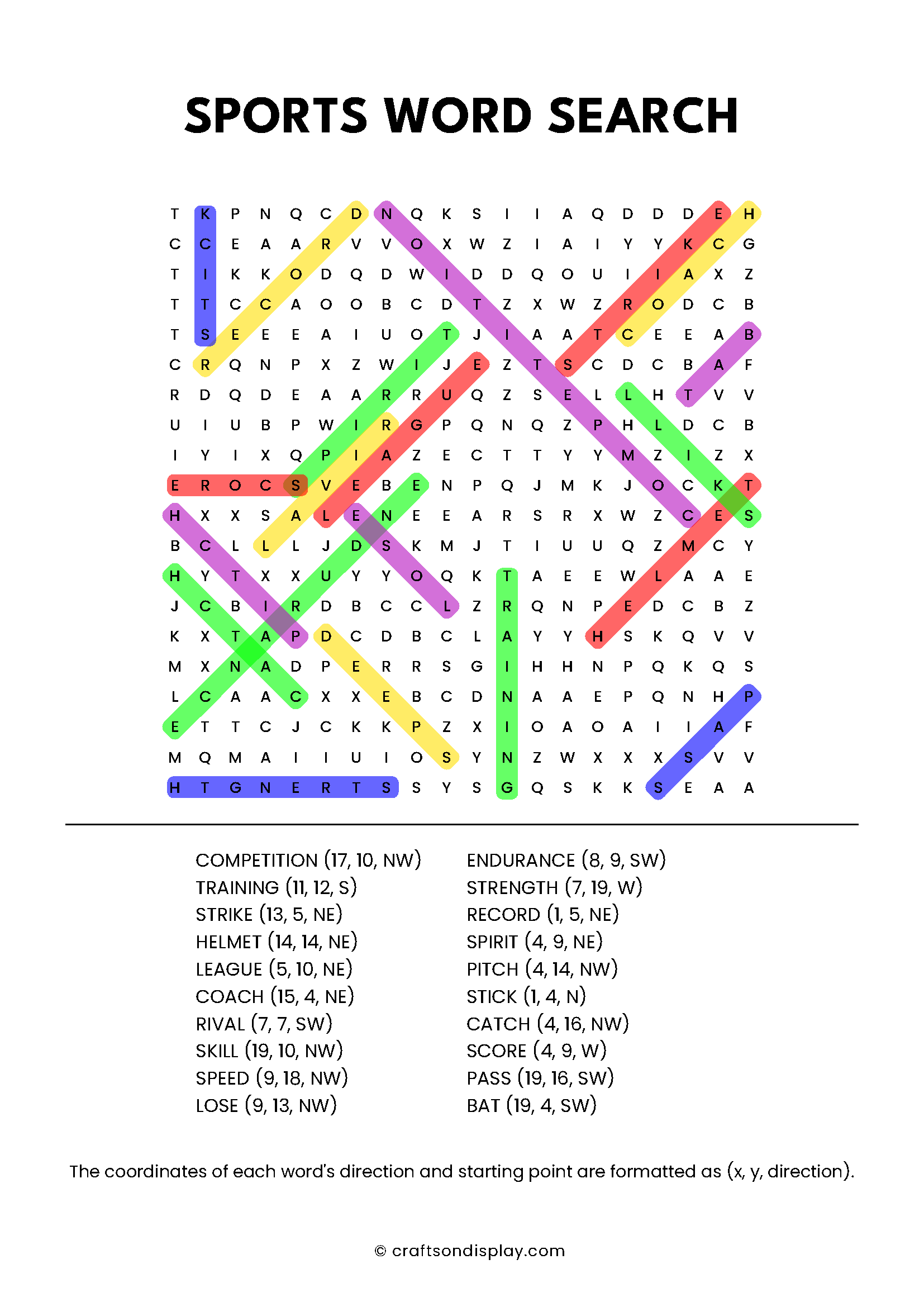
Explore 25+ free printable word search puzzles with ready-made themes for kids and adults. Download and print your favorites instantly!
FAQ section
- Can I make a word search with my own words? Yes! You can enter up to 20 custom words. We recommend a minimum of 3 letters per word to ensure a high-quality puzzle layout.
- How do I make the word search harder? To increase difficulty, expand the grid size toward 35×35 and enable diagonal and reversed word directions in the settings.
- Are the answer keys included? Every custom puzzle comes with an automatic, optional solution page. You can download both the puzzle and the key as separate PDFs or PNGs.
- Is there a limit to how many puzzles I can create? No. Our generator is 100% free and unlimited. You can generate as many unique versions as you need for your classroom or home.
If you’ve finished your word search, try our Free maze generator. Just like our word search maker, you can customize the grid size and difficulty to create the perfect mental workout!
Hello, thanks for this, can I use in a book sold commercially? if so thanks but also what font is used? is the font free to use commercially
Hello, thanks for reaching out! Yes, absolutely. You are welcome to use the generated word search puzzles in a commercially sold book. The fonts used are Poppins and League Spartan, both of which are distributed under the SIL Open Font License (OFL). This is an open-source license that permits both personal and commercial use of documents created with the fonts (like your puzzle book). A simple attribution would be greatly appreciated! If you are promoting your book on social media or your website, we’d be grateful if you could mention our site as the source of the generator and include a link back. Thanks again, and best of luck with your book!
I’m trying to make a word search, I put in 20 words and I keep getting a message that says, “You need to choose at least 5 words”
What does this mean?
Hi, Thank you for your message! It seems there’s an issue with the missing comma between words, which is causing the problem with generating the word puzzle. We’ll modify the error message accordingly. Thanks for bringing this to our attention!
Hi, also another suggestion:
The option to alphabetize the word list would be really good!
Nvm my first comment, I figured it out.
The solution list of words at the bottom should really also be in the same exact layout as the puzzle’s list of words, to make it easy to find. Currently the solution’s list of words seems to just be random and makes it hard to find the 1 word that was, say, in the 3rd row 4th column in the puzzle’s list, for example.
Hi Ellie,
As the first commenter on this page, you get a big virtual hug! Thank you for using our free word search generator and for reaching out! Your observation is really helpful, and I’ll pass it on to see what we can do about it!
All the best,
Violet
Is there a limit as to the number of words I can use? It keeps removing half the words I add.